Connect n8n with a personal API key
The n8n-nodes-marcomm community node writes, sends for approval and publishes press releases, blog posts, press events and RSVP invitations. The package is not published yet.
- 1In Marcomm, go to Settings → Integrations → n8n to see the status and the values you need.
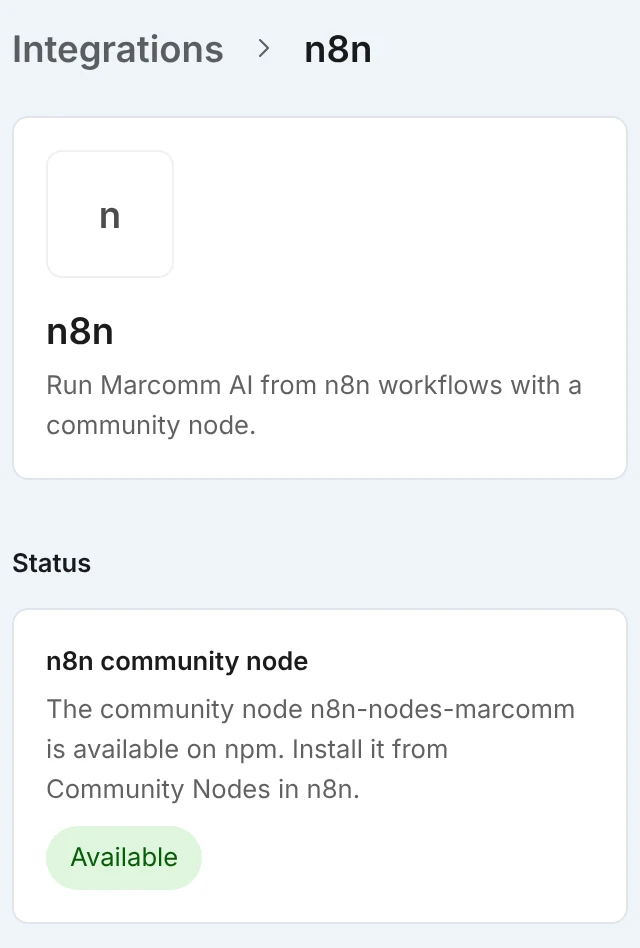
The n8n page shows the current status, the steps, the values to copy and whether API access is approved for this workspace. - 2Open Settings → API. If the workspace has no API access yet, an owner or admin fills in Apply for API access and selects Submit application.
- 3After approval, open Create a key, choose Personal key, tick the Scopes you need and select Create key. Copy the key, because it is shown only once.
- 4In n8n Cloud, search for Marcomm AI in the node panel (if it does not appear, turn on Verified Community Nodes in the Admin Panel and restart the instance). On a self-hosted n8n, open Settings, then Community Nodes, then Install, and enter
n8n-nodes-marcomm. - 5Create a Marcomm AI API credential, paste the key in API Key, and add the Marcomm AI node or the Marcomm AI Trigger node to a workflow.
The trigger node needs the Content scope and sends nothing on its first check, so it does not replay older items.
The node covers press releases, blog posts, press events, RSVP invitations and approvals, including approve, reject and the list of pending approvals. The trigger node starts a workflow when a press release is created, sent for approval or published, when a blog post is created or published, or when a press event is created.
Scopes decide what a key can do. Content (content) reads press releases, blog posts and press events, Write content (content:write) creates and edits drafts, Publish and send (distribution) publishes and sends email, and Approvals (approvals) covers approval steps. The last three work only with a Personal key, because the action is recorded under the person who created the key. A Workspace key can only read, and every key acts with the role and permissions of its creator.
Publishing and sending cannot be undone. The API runs them only when the request has confirm: true or an Idempotency-Key header, and it publishes nothing and answers 409 while approval is still required or the item is scheduled or under embargo. A retry with the same Idempotency-Key and the same request returns the first result for 24 hours instead of running again. The node sends an idempotency key on every write, built from the execution, the node and the item, and it confirms publish and send operations by itself.
The API is available on the Team plan and above. The Marcomm AI team reviews each application, and keys work only after approval. A key can use only the scopes approved for the workspace, and each person can have up to 10 keys. By default a workspace can make 60 requests per minute and 10,000 per day; above that the API answers 429 with a Retry-After header. To raise the limits, use Need higher limits? in Settings → API. To disconnect n8n, select Revoke next to the key; systems using it lose access right away.
FAQs
Call
GET https://marcomm.works/api/v1/mewith the headerAuthorization: Bearerfollowed by your key. It works with any approved key whatever its scopes, and returns the workspace, the key name and its scopes.A key does not record which service uses it, so Marcomm does not mark the n8n card as connected. Settings → API shows when each key was last used.
Yes, with the built-in HTTP Request node. Call
https://marcomm.works/api/v1with the headerAuthorization: Bearerfollowed by your key, and add anIdempotency-Keyheader to every write.