Delete your account
You delete your account under Account → Privacy & deletion. A five-step wizard walks you through it, and your account is deleted the moment you confirm with a code from your email.
- 1Open the profile menu and choose Account, then Privacy & deletion. In the Delete account card, click Delete account.
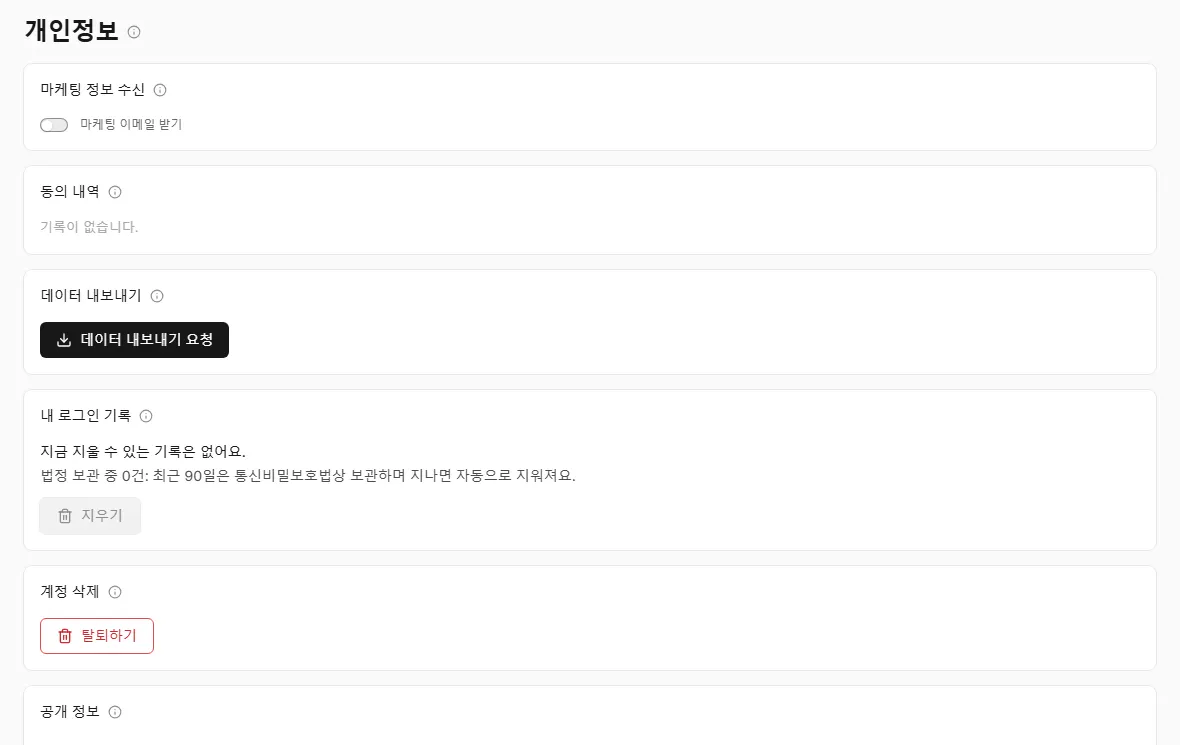
Start from Account, then Privacy & deletion. - 2Workspaces: if you are the only owner of a workspace, transfer ownership to another member or delete the workspace, then click Check again.
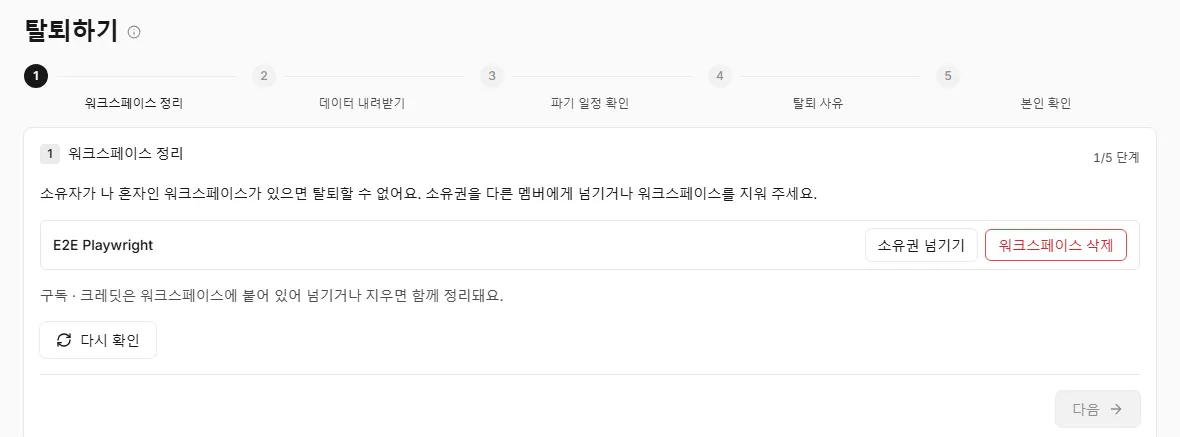
Transfer or delete the workspaces you own alone. - 3Download data: download a copy of your data if you want one. You can't do this after your account is deleted.
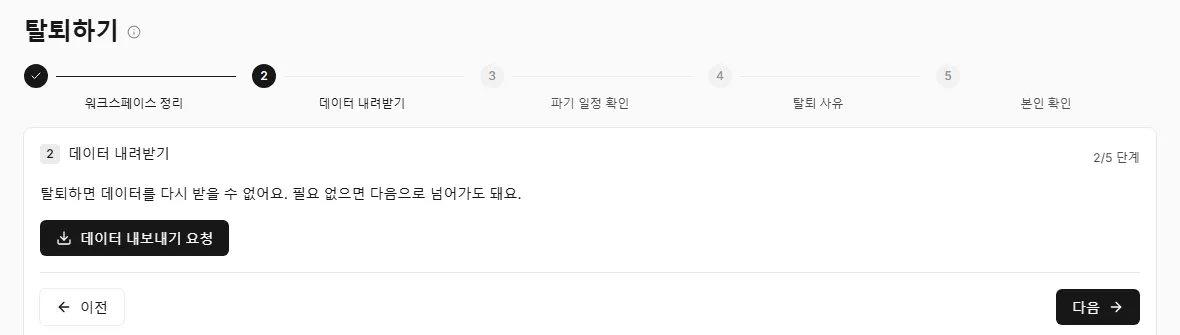
Download your data before you go. - 4Deletion schedule: review what is deleted right away and what is kept, then tick I've reviewed the deletion schedule above.
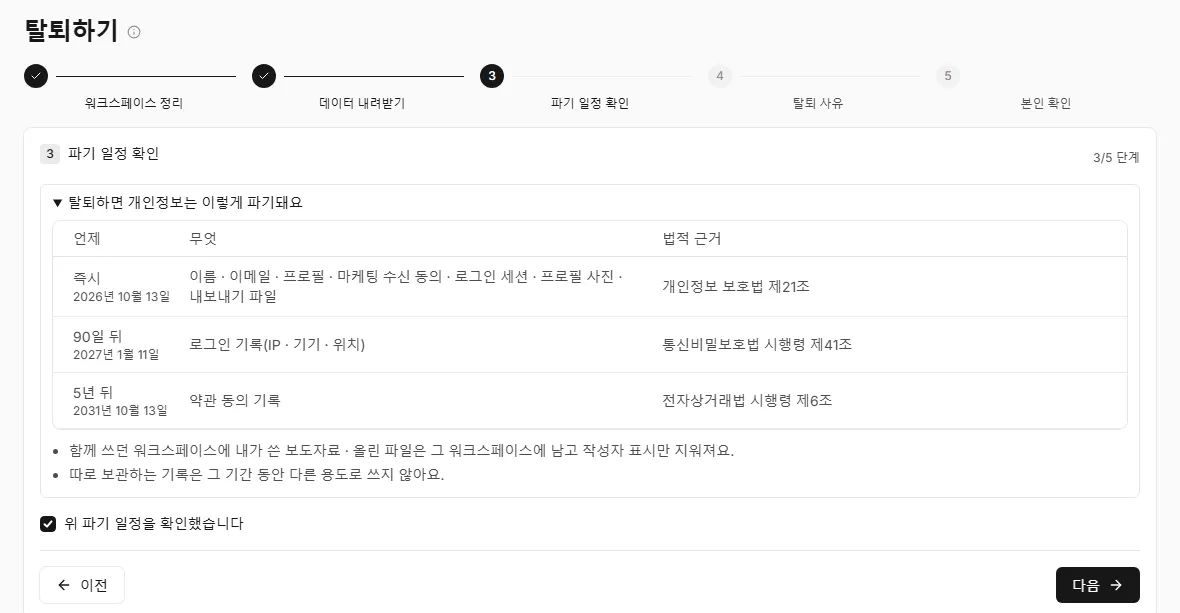
See what is deleted now and what is kept. - 5Reason: pick a reason if you like, or click Skip.
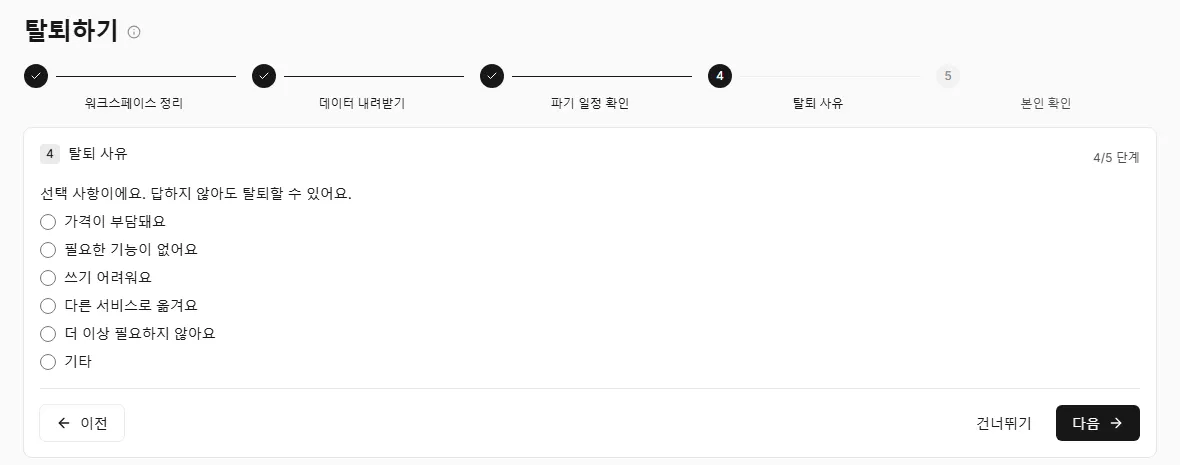
The reason is optional. - 6Confirm: enter the code we emailed you and click Delete my account now. Your account is deleted immediately.
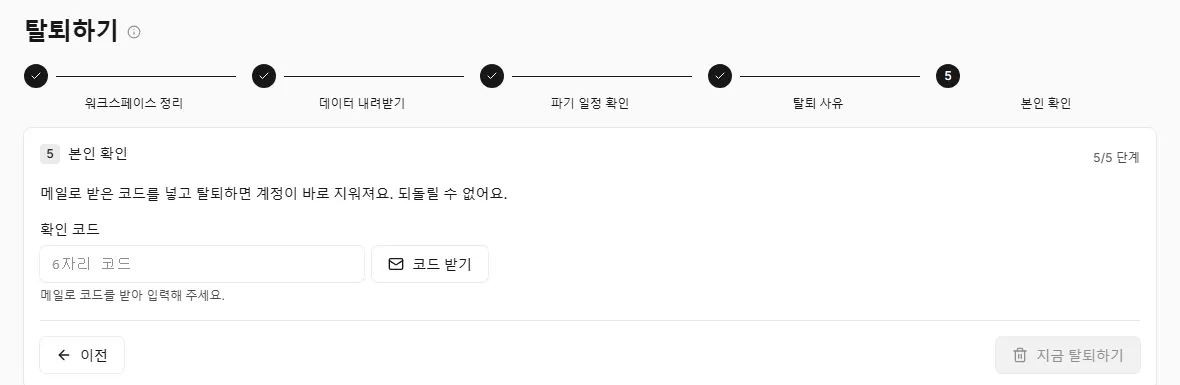
Enter the email code to delete your account. - 7You are signed out and land on the goodbye page. That's it.

The goodbye page means you are done.
Subscriptions and credits belong to the workspace, not to you. Transferring or deleting the workspaces you own also takes care of their billing, so there is nothing separate to cancel.
Nothing is deleted until the last step. Before you enter the code, you can go back a step or close the wizard at any time.
Your name, email, profile, profile photo, marketing consent, sign-in sessions and export files are deleted right away. Two records are kept separately because the law requires it: your terms consent records for 5 years (Enforcement Decree of the Electronic Commerce Consumer Protection Act, Article 6) and your sign-in records from the last 90 days for 90 days (Enforcement Decree of the Protection of Communications Secrets Act, Article 41). They are not used for anything else and are deleted when the period ends.
Press releases you wrote and files you uploaded in shared workspaces stay in those workspaces. Only your name as author is removed. The reason you pick is stored without any link to you.
FAQs
- Can I undo the deletion?
- No. Your account is deleted as soon as the code is confirmed, and it can't be restored. Download your data first if you need it.
- What happens to my subscription?
- Subscriptions and credits belong to workspaces. When you transfer or delete the workspaces you own, their billing goes with them.